How syncing works
Every Webflow order becomes one balanced invoice in each connected accounting system, automatically and idempotently. Here's exactly what happens.
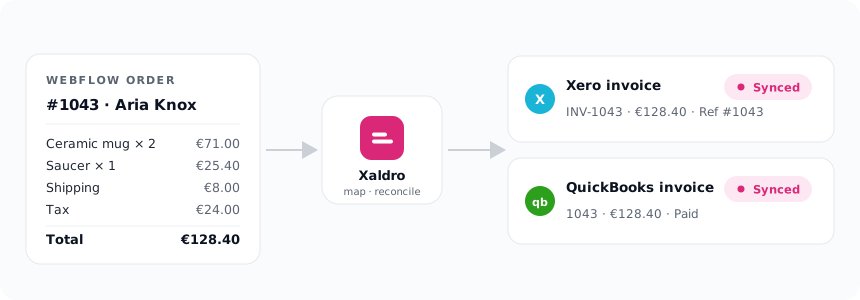
One order, one invoice
When a Webflow order is placed, Xaldro maps it to a single invoice:
- one invoice line per order line item (quantity, unit price, tax),
- shipping as its own line against your shipping account,
- discounts handled so the invoice total still matches the order,
- the customer looked up by email and created once if new, never duplicated,
- the Webflow order number written into the invoice Reference field, so you can always trace an invoice back to its order, and an order forward to its invoice.
So a three-item cart with shipping and tax becomes a clean, itemised invoice, not a single lump sum. Getting that line-item mapping right across multi-currency, multi-line carts is the part generic automation tools get wrong; see Xaldro vs Zapier.
Reconcile to the cent
This is the core guarantee, and the reason you can trust the numbers.
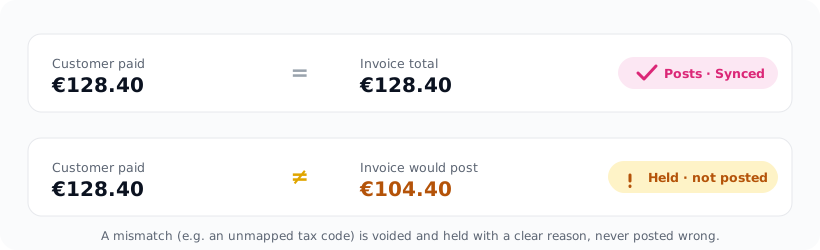
Before an invoice is marked done, Xaldro fetches it back from Xero or QuickBooks and compares the posted total to what the customer actually paid in Webflow. If they don't match to the cent, the invoice is voided and the order is held with a clear reason. Xaldro never reports a wrong invoice as reconciled.
That's why a taxed order with no tax code mapped is held rather than posted short by the tax: the safe failure is to stop and tell you, not to quietly post something that throws your books off. Fix the mapping (see Mapping your accounts) and retry.
Real time, plus backfill
- Real time: orders sync within seconds via Webflow webhooks. Xaldro keeps those webhooks healthy automatically, a background check re-registers any that go missing, so new orders never silently stop syncing.
- Backfill: on install Xaldro imports your last 90 days. You can pull more anytime, see Importing past orders.
The status of every order
On the Orders screen each order shows its status per provider, Xero and QuickBooks side by side, with a link straight to each posted invoice:
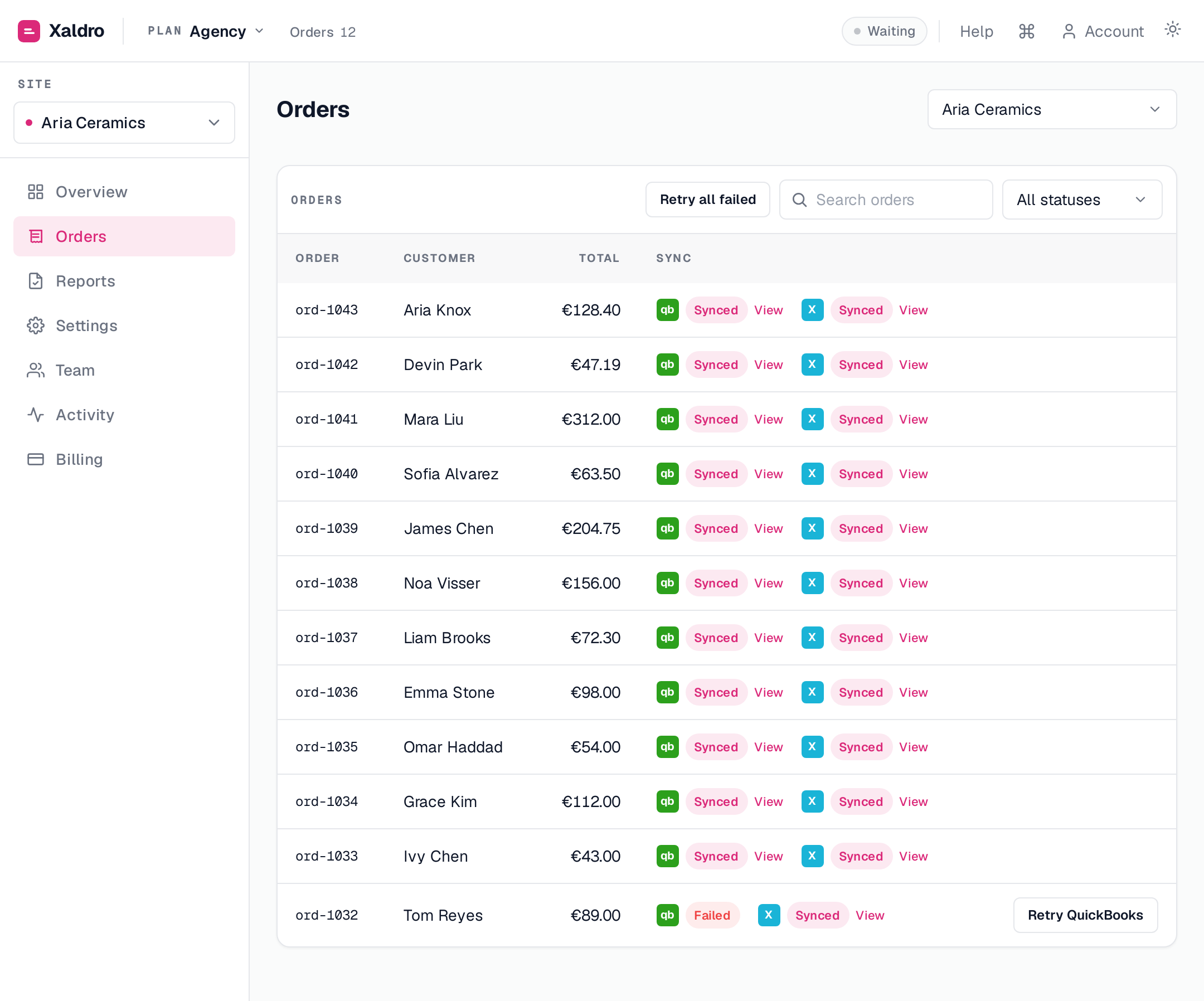
The badge meanings:

- Synced , posted and reconciled. A "View" link opens the invoice in Xero or QuickBooks.
- Pending , in progress, refreshes on its own.
- Failed , something needs attention; hover for the reason, then Retry.
- Skipped , excluded by a sync rule (e.g. below your minimum, or not yet fulfilled).
- Review , the order was edited after its invoice posted; the invoice was left untouched for you to reconcile by hand. See Refunds & edited orders.
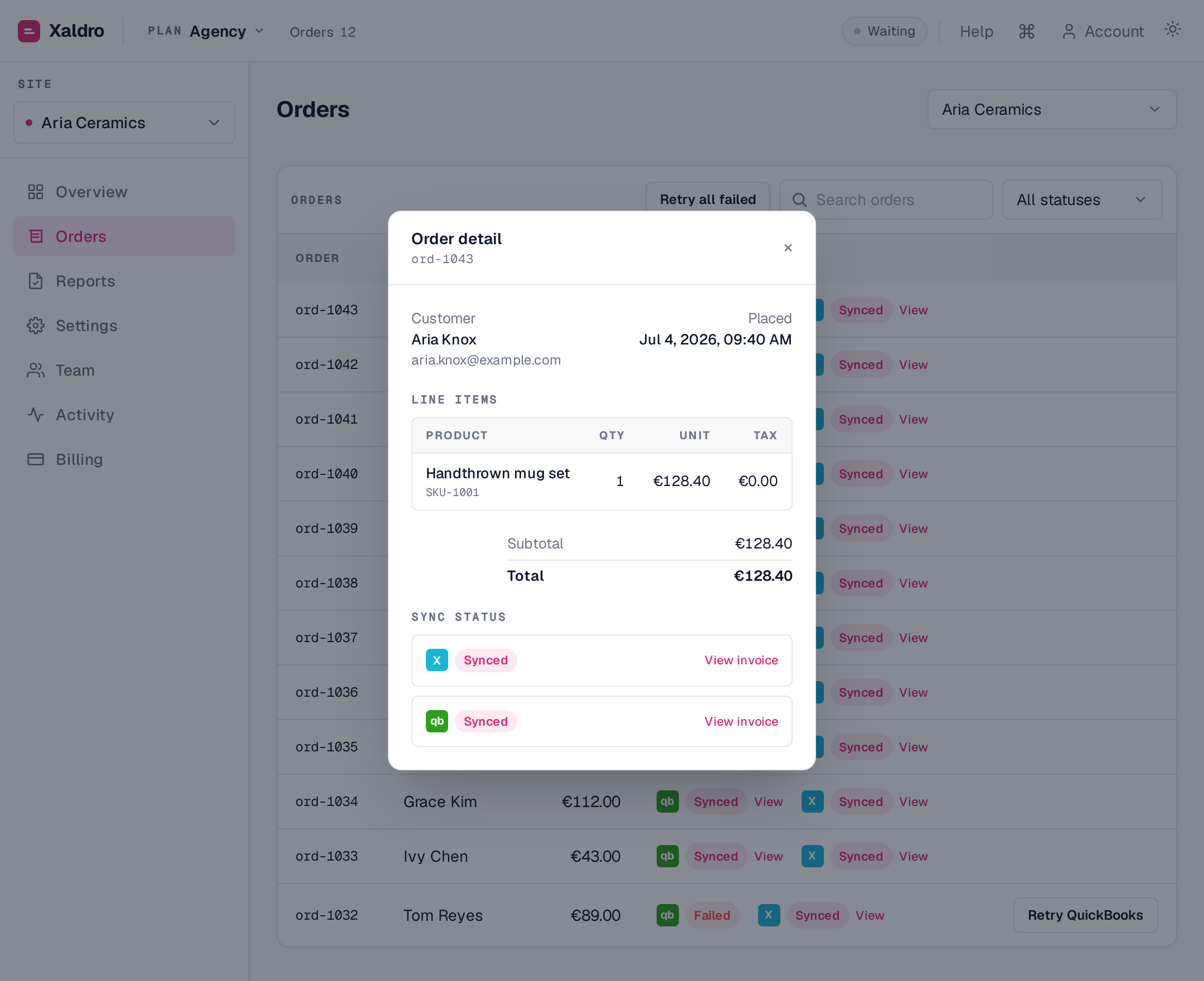
Click any order to open its detail drawer: the full money breakdown, every line item, the per-provider sync status with invoice links, and any refunds.
Idempotent and safe to retry
Every sync uses a stable idempotency key per order and provider, so retries, webhook replays, reconnects and re-imports never create a duplicate invoice. Retry a failed order as often as you like; rerun a backfill over a wider window without fear of double-posting. One order maps to exactly one invoice per system, always.
The short version: orders post as itemised invoices in real time, nothing posts unless it reconciles to the cent, and nothing ever double-posts.