Billing & plans
Flat monthly prices in US dollars, VAT included where it applies, with no fee per order. Pick the plan that fits your order volume and how many stores you run.
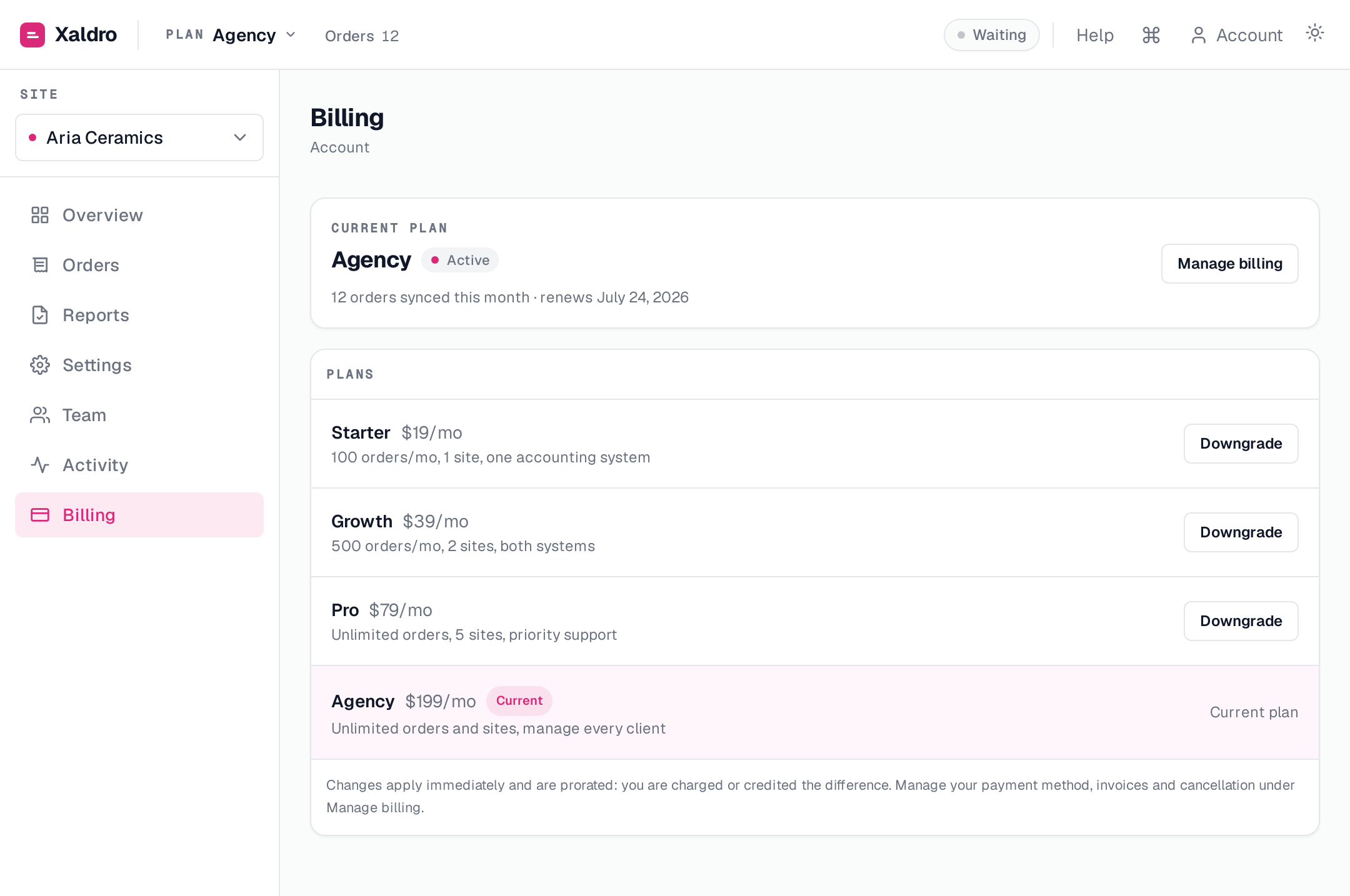
| Plan | Price / month | Orders / month | Sites | Accounting systems | Seats |
|---|---|---|---|---|---|
| Starter | $19 | 100 | 1 | Xero or QuickBooks | 1 |
| Growth | $39 | 500 | 2 | Both | 3 |
| Pro | $79 | Unlimited | 5 | Both | 10 |
| Agency | $199 | Unlimited | Unlimited | Both | 25 |
Free trial
Every account starts on a 14-day free trial, or your first 100 posted orders, whichever comes first. No card required to start. The trial runs with the sites, accounting systems and seats of the plan you pick on the pricing page; started from anywhere else, it runs on Starter.
When the trial ends, new orders are held until you subscribe. Your data and connections are kept. Orders held because the trial ended post again by themselves once you subscribe.
Subscribing during the trial starts billing at once. Stripe Checkout has no trial period, so the remaining trial days are not added to your first billing period.
Changing plans
The owner changes plans from Billing. Upgrades and downgrades apply at once and are prorated by Stripe: you are charged or credited the difference. An order over your monthly limit is held until you upgrade or the month ends; orders held for the limit post again by themselves after an upgrade. A downgrade does not remove sites you already have connected. A paused site still counts toward your plan's site limit; removing it frees the place.
What counts toward limits
The monthly limit counts orders posted in the calendar month (UTC). An order posted to both Xero and QuickBooks counts once. Skipped and held orders do not count until they post. Pro and Agency have no monthly order limit.
Cancelling
The owner cancels from Billing → Manage billing, which opens Stripe's billing portal. After the subscription ends, new orders are held until you subscribe again.
Without an active plan
If your account has no active plan (the free trial is over and you have not subscribed, or your subscription ended) for 14 days, Xaldro removes its order webhooks from your sites and stops receiving your orders from Webflow. Orders it already holds stay. When you subscribe, a check within the hour adds the webhooks back and imports the orders of the last 90 days, which then post.
Uninstalling Xaldro in Webflow does not cancel your subscription. Cancel it in Manage billing, or delete your Xaldro account (Account → Delete account): deleting the account deletes your Stripe customer, which ends the subscription. The same happens when Xaldro deletes your account automatically 30 days after Webflow access ends. See Uninstalling & your data.
Invoices already posted to Xero or QuickBooks are yours and stay in your books; cancelling or uninstalling does not change them.
Questions about a charge
Write to support@xaldro.com or use the form at https://xaldro.com/support. We reply within one business day (Monday to Friday, CET). Refunds of Xaldro charges follow the Refund Policy.