Refunds & edited orders
Refunds
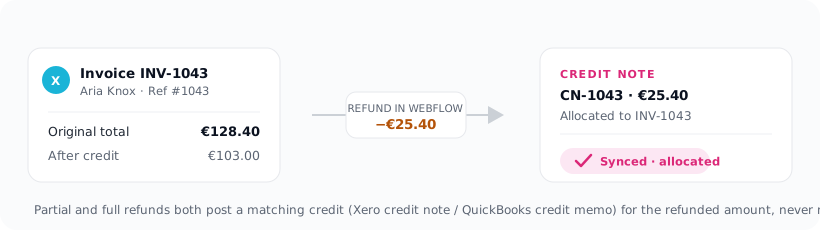
When you refund an order in Webflow, Xaldro posts a matching credit against the original invoice:
- Xero , a credit note allocated to the invoice.
- QuickBooks , a credit memo linked to the invoice.
When you refund an order in Webflow, it is refunded in full, so Xaldro posts a credit for the full order total, allocated against the original invoice. This is idempotent: re-processing the same refund never credits twice.
You'll see refunds listed on the order's detail drawer alongside the invoice.
Orders edited after they've synced
Once an invoice is posted, Xaldro will not silently change it, that's deliberate. Quietly editing a posted invoice is how books drift out of sync with reality.
Instead, if an order's total changes after its invoice exists, Xaldro leaves the invoice untouched and flags the order Review on the Orders screen. You decide what to do: adjust the invoice by hand, issue a credit, or leave it. The flag tells you exactly which orders need a human eye.
A refund is not treated as an edit, refunds are handled automatically as above. The Review flag is only for changes to the order's contents or totals.
Resyncing
If you fix a mapping or reconnect a provider, use Retry on a held or failed order, or Retry all failed to requeue everything at once. Because syncing is idempotent, retrying is always safe.