Webflow Ecommerce is built for selling, not for bookkeeping. It takes the payment beautifully and then leaves the accounting entirely to you. For a store owner or the bookkeeper who supports one, that means a handful of jobs that all have to be done right, every month, or the books slowly drift away from reality.
This is the whole picture in one place: what bookkeeping for a Webflow store actually involves, where each part tends to go wrong, and how to keep it clean in Xero or QuickBooks.
The five jobs of Webflow bookkeeping
Strip it down and keeping a Webflow store’s books right is five recurring jobs:
- Turn every order into an invoice in your accounting system.
- Handle refunds so returned money comes back out of revenue.
- Reconcile the processor payout against what was actually invoiced.
- Get sales tax or VAT right per destination.
- Close the month with confidence that nothing is wrong.
Do those five reliably and your books match reality. Miss any one and the gap compounds. Let us take them in turn.
1. Orders into invoices
This is the foundation, and the most common failure point. A Webflow order is a structured thing: multiple line items, shipping, discounts, tax, a customer. It has to become one invoice with one line per product, shipping and discounts on their own lines, and the right tax, with the customer matched to an existing contact rather than duplicated.
Re-keying that by hand is hours a month and one typo away from books that do not tie out. A CSV export rarely maps cleanly. And the popular Zapier or Make workaround breaks on exactly this shape, flattening multi-line carts and dropping shipping or tax. We wrote about why that happens, and what a correct pipeline has to do, in syncing Webflow orders without Zapier.
The clean version is a native sync that posts one balanced invoice per order automatically. The platform-specific walkthroughs are here: connecting Webflow to Xero and connecting Webflow to QuickBooks.
Two details we hit building this show how quietly totals can break. Webflow returns order amounts as strings, not numbers, so an integration that adds them without care can concatenate instead of summing, and we watched a few dollars of tax turn into thousands before we caught it. Webflow also has a separate “discount on shipping” promo type, distinct from a normal discount, and if you do not account for it the total drifts by the promo amount. Neither shows up on a tidy test order; both show up on real ones. That is the whole argument for checking every total to the cent rather than trusting that it looks right.
2. Refunds
Refunds are the job most setups forget, because a flow that only creates invoices has nowhere to put money going back out. If refunds are not handled, revenue overstates and someone cuts credit notes by hand at month-end.
Done right, a refunded Webflow order posts a matching credit note in Xero, or a credit memo in QuickBooks, allocated against the original invoice, so revenue and receivables come back down by the correct amount automatically.
3. Reconciling the payout
This is the subtlety that separates “the invoices are in” from “the books are actually right.” Your customers pay one order at a time, but your processor pays you in batched payouts, several orders minus fees, days later. If invoices post as open receivables and the payout lands as one lump in the bank, nothing lines up.
The fix is a clearing account: invoices are marked paid into a clearing account as they post, and the processor payout is then reconciled against that clearing account when it hits your bank. We covered the full workflow in reconciling Webflow payouts, paid not just invoiced.
4. Tax, per destination
Tax is where correct-looking books hide errors. The tax on an invoice has to match what the customer was charged, using your accounting system’s own tax rates or codes, and the rate depends on where the order shipped. A store selling across US states or EU countries needs the rate to follow the destination. We went deep on this in getting Webflow sales tax and VAT right. The short version: map your rates, and make sure nothing posts unless the tax matches.
5. Closing the month
The reason month-end takes so long is trust. If you cannot trust that everything posted correctly, you have to check everything.
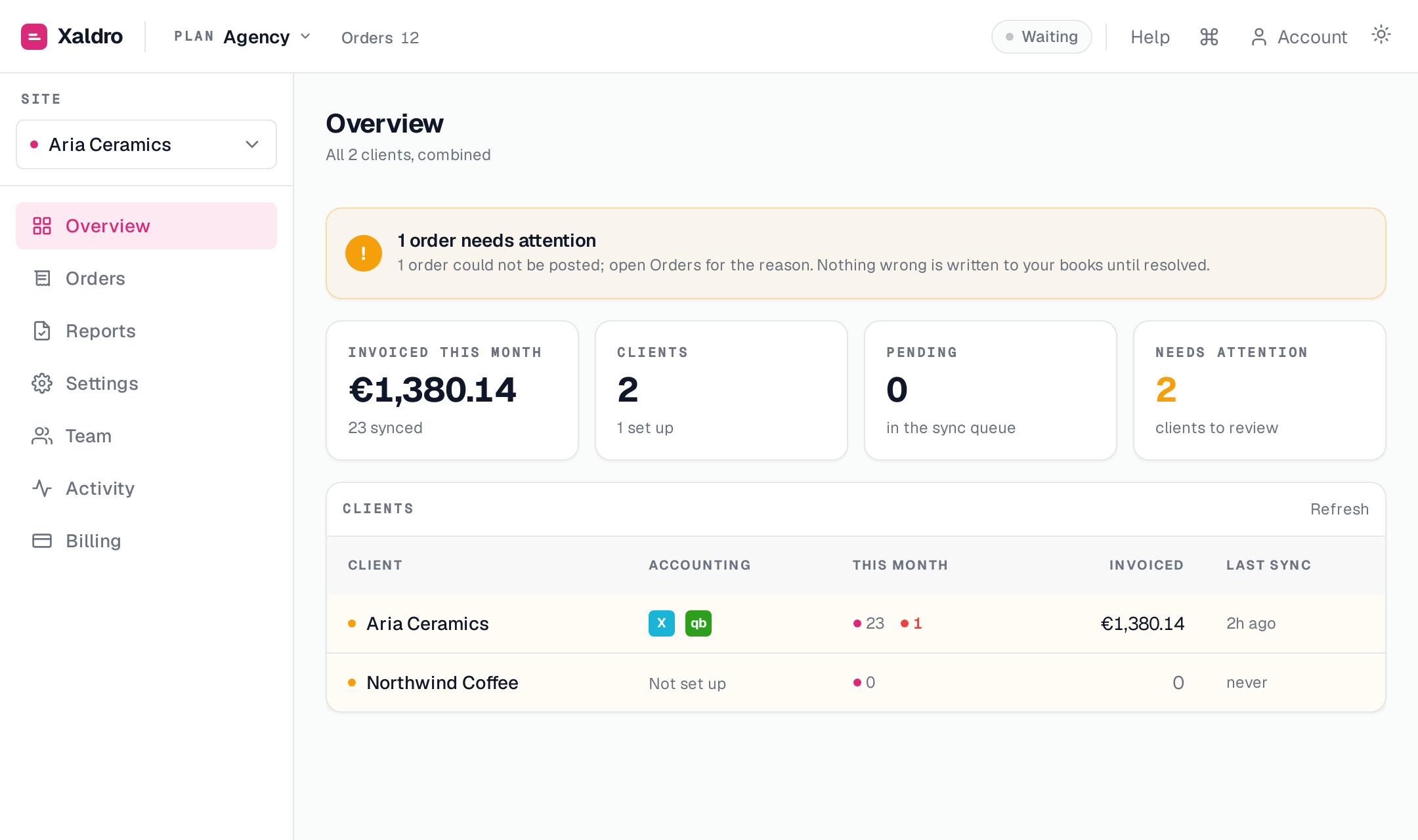
The way out is a reconcile-to-the-cent guarantee: anything that did post is known to be right because its total was checked against what the customer paid, and anything that could not post cleanly is surfaced as an exception with a reason. That turns closing the month from an audit of everything into a short list of explained exceptions. If the list is empty, you are done.
Doing all five without the manual work
Each of these five jobs is doable by hand. The problem is doing all five, every month, reliably, as order volume grows. That is what a native sync is for: orders become balanced invoices automatically, refunds become credit notes, payments post to a clearing account ready to reconcile against your payout, tax is mapped per destination, and anything that does not add up is held rather than posted wrong.
Xaldro does exactly this for Webflow Ecommerce, into your own Xero or QuickBooks, on flat monthly pricing with no per-task fees. Real invoices and credit notes that live in your ledger and survive uninstall, reconciled to the cent. You can start on a 14-day free trial or your first 100 synced orders, whichever comes first, with no card required.